
Fumbling for a clunky garage door remote in your glove box or clipped to your sun visor is a thing of the past. Modern Hyundai vehicles equipped with the HomeLink system offer an elegant, integrated solution that streamlines your daily routine. By programming the buttons on your rearview mirror or overhead console, you can open or close your garage door with a simple, safe press of a button.
This feature not only declutters your car but also enhances your home’s security by replacing a portable remote that could be lost or stolen. While the setup might seem technical, it is a quick and straightforward process that most owners can complete in just a few minutes without any special tools. This guide will provide clear, easy-to-follow instructions on how to pair Hyundai garage door opener systems, ensuring a seamless connection between your car and your home.
Pairing your Hyundai garage door opener can seem intimidating at first, but with the right guidance, it becomes a simple and hassle-free task. This process allows you to enjoy the convenience of controlling your garage door directly from your car, making your daily routine smoother and more efficient. With just a few steps, you’ll be able to link your vehicle to your garage door opener system, ensuring both practicality and peace of mind.
Step-by-Step Guide on How to Pair Hyundai Garage Door Opener
Step 1: Prepare Your Vehicle and Workspace
Before beginning the pairing process, ensure your vehicle is parked safely outside of the garage, but with a clear line of sight to the garage door opener motor. It is crucial that the car is running or in the “Accessory” or “On” position for the HomeLink system to receive power and be programmable. Clear the area around your garage door to prevent any obstructions from interfering with its movement during the test phase. You will also need your current, functional garage door remote control, as this will be used to “teach” the HomeLink system its signal. Finally, have a sturdy stepladder handy, as you will need to access the “Learn” button on the garage door opener motor unit itself.
Step 2: Clear Any Existing HomeLink Data
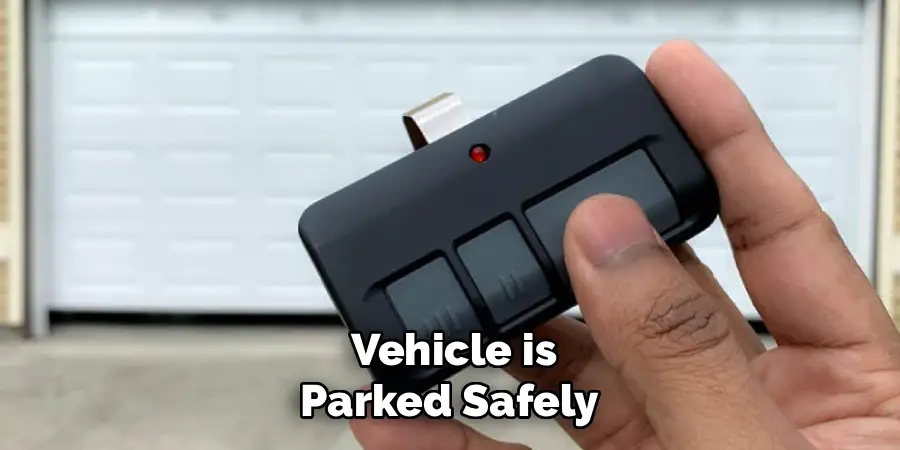
To ensure a clean and successful pairing, it is best to start by erasing any previously programmed buttons on your Hyundai’s HomeLink system. This is especially important if you purchased a pre-owned vehicle, as the buttons may be linked to the previous owner’s home. To do this, press and hold the two outer HomeLink buttons on your rearview mirror or overhead console simultaneously. Continue holding them down for approximately 10 to 20 seconds. The indicator light on the HomeLink unit will typically flash slowly at first and then change to a rapid flash. Once you see the rapid flashing, it signifies that all stored codes have been erased, and you can release the buttons.
Step 3: Train the HomeLink Button
Now you will teach your Hyundai the signal from your handheld garage door remote. Choose which of the three HomeLink buttons you wish to program. Press and hold this chosen button. While you are holding it down, take your handheld remote and hold it about one to three inches away from the HomeLink buttons. Now, press and hold the button on your handheld remote that opens the garage door. Continue holding both buttons down. The HomeLink indicator light will flash slowly, then it will begin to flash rapidly. This rapid flash confirms that the HomeLink system has successfully learned the signal from your remote. You can now release both buttons.
Step 4: Locate the “Learn” Button on Your Garage Door Motor
The next step involves the garage door motor unit itself, which is mounted on your garage ceiling. This is necessary for openers that use modern “rolling code” technology for enhanced security. Using your stepladder, locate the “Learn” or “Program” button on the back or side of the motor unit. This is usually a small, square button, often located near a small LED indicator light or the antenna wire. The button might be purple, red, orange, green, or yellow, depending on the manufacturer of your garage door opener. Press and release this button once. Do not hold it down. The LED light next to the button should begin to flash or glow steadily, indicating it is now in pairing mode.
Step 5: The Final Sync in How to Pair Hyundai Garage Door Opener
Once you press the “Learn” button on the motor unit, you have a very short window—typically only 30 seconds—to complete the pairing process from inside your car. Quickly and safely return to your vehicle. Firmly press and release the HomeLink button that you just trained in the previous step. You may need to press and release the button two or three times. Watch the garage door. A successful pairing is confirmed when the garage door moves, or the opener’s lights flash. This action finalizes the connection between your Hyundai’s HomeLink system and the garage door motor, synchronizing the rolling code technology.
Step 6: Test the Newly Programmed Button
With the programming seemingly complete, it is crucial to test the function to be sure. From inside your car, press the HomeLink button you just programmed. The garage door should now operate, either opening or closing depending on its current state. If the door does not move, the pairing may not have been successful, and you should repeat the process starting from the “Learn” button step. Sometimes the timing can be tricky, so a second attempt is often all that is needed. A successful test confirms that your car is now a fully functional remote control for your garage.
Step 7: Repeat for Other Doors or Gates
Your Hyundai’s HomeLink system is equipped with three buttons, allowing you to control multiple devices. If you have additional garage doors or a community security gate, you can now repeat the entire process for the other buttons. Simply choose another HomeLink button and follow the steps again, from clearing the memory (if desired, though not necessary), training it with the appropriate remote, and then synchronizing it with the “Learn” button on the second garage door opener motor. This allows you to consolidate all your remotes into one convenient, built-in system in your car, providing seamless access to all your entry points.
Frequently Asked Questions
Why Is My HomeLink Button Not Pairing with the Garage Door?
There are a few common reasons for pairing failure.
- Rolling Code: Most modern openers have “rolling code” security. If you only trained the HomeLink with your remote but did not press the “Learn” button on the motor unit, the pairing will not complete.
- Compatibility: While HomeLink is compatible with most openers, very old or obscure models may not work. Check the HomeLink website for a compatibility list.
- Battery: The battery in your handheld remote might be too weak to send a strong enough signal for training. Try a fresh battery.
What Is Rolling Code Technology?
Rolling code technology is a security feature that changes the access code sent by your remote every time you use it. This prevents criminals from capturing your code and replaying it to open your garage. This is why you must press the “Learn” button on the motor unit; it synchronizes the HomeLink system with the opener’s ever-changing code sequence, authorizing your car as a trusted device.
Does the Car Need to Be Running to Program HomeLink?
Yes, the vehicle’s ignition must be in the “On” or “Accessory” position. The HomeLink system requires power from the car’s battery to enter programming mode and learn the signals from your remote. It will not work if the car is completely turned off. For safety, it is best to perform the programming with the car parked and the engine running, ensuring you have consistent power.
Where Is the “Learn” Button on My Garage Door Opener?
The “Learn” or “Program” button is located on the main motor unit that hangs from your garage ceiling. It is typically on the back or side panel, near the antenna wire and an indicator light. The button’s color (often purple, red, orange, or green) can help identify the manufacturer (e.g., LiftMaster, Chamberlain, Genie) and the specific programming steps required.
Can I Program HomeLink Without the Original Remote?
No, in most cases, you cannot program the HomeLink system without a working handheld remote. The initial step of the process involves the HomeLink “learning” the radio frequency signal directly from your original remote. If your remote is lost or broken, you will need to purchase a replacement remote for your specific garage door opener model before you can proceed with pairing it to your vehicle.
Conclusion
Integrating your garage door opener with your Hyundai’s HomeLink system is a simple yet powerful upgrade that adds convenience and security to your daily life. By following these straightforward steps—clearing old codes, training the button with your remote, and syncing with the motor’s “Learn” button—you can declutter your car and create a seamless transition from the road to your home. Taking just a few minutes to complete this process is a small investment for the daily ease of opening your garage with a factory-installed button. Now that you know how to pair Hyundai garage door opener, you are ready to tackle this simple DIY project and enjoy the modern convenience your vehicle offers.

I am Rick. I grew up helping my dad with his handyman service. I learned a lot from him about how to fix things, and also about how to work hard and take care of business. These days, I’m still into fixing things- only now, I’m doing it for a living.
I’m always looking for new ways to help people grow and develop. That’s why I have created this blog to share all my experience and knowledge so
that I can help people who are interested in DIY repair.